Shopify to Odoo Checklist
Plan Your Shopify to Odoo Migration Before Scope Gets Locked
Moving from Shopify to Odoo can create clearer control across eCommerce, inventory, operations, and finance, but only if the migration is scoped properly from the start. This checklist helps you review the critical moving parts before you commit to timelines, tools, and implementation decisions.
Request a Shopify to Odoo assessment Download the checklist only
Migrating from Shopify to Odoo is not just a store rebuild. It is an operational shift. You are not simply moving products and pages. You are reworking how orders, stock, fulfilment, finance, reporting, and internal workflows connect across the business.
That is where teams get caught out. They focus on theme design or product imports, then discover too late that their inventory logic is inconsistent, their app stack is bloated, their reporting is unreliable, or their fulfilment process still relies heavily on manual workarounds.
The Shopify to Odoo Checklist gives you a more practical starting point. It helps you assess what needs to move, what needs to change, what should be retired, and what must be mapped properly before implementation begins.
What This Checklist Helps You Review

1. Business goals and migration scope
Define why you are moving to Odoo, from better visibility and reporting to fewer apps and stronger inventory control.
2. Current Shopify setup
Review how your Shopify setup actually works today. Identify which apps, workarounds, and processes are still useful, which ones create friction, and what should not be carried into the new system.
3. Product, customer, and order data
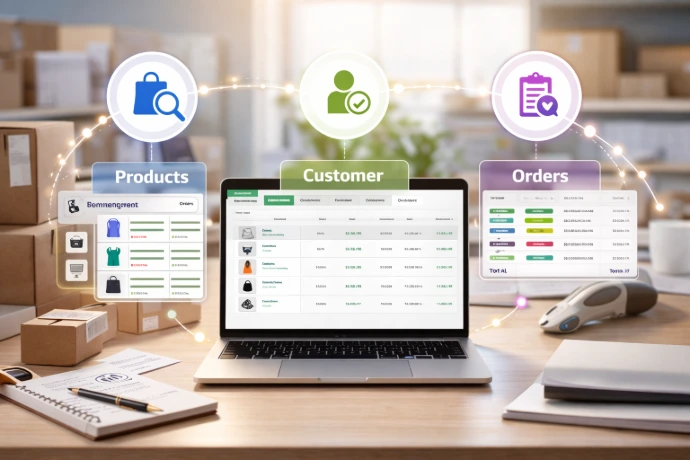
Check the quality and structure of the data you plan to migrate. This includes products, variants, customers, orders, tags, pricing logic, and historical records.

4. Inventory and warehouse workflows
Review how stock moves across locations, warehouses, and fulfilment processes, including replenishment, bundled products, stock movements, and visibility requirements.

5. Finance and operational reporting
Assess how finance connects with sales and operations, including tax, invoicing, reconciliation, payout visibility, margin tracking, and reporting needs.

6. Integrations and external systems
Identify which systems need to connect with Odoo, including shipping tools, marketplaces, payment gateways, accounting platforms, CRMs, 3PLs, and custom apps.

7. Website, UX, and content requirements
Review the front-end features and content that need to be carried across, including navigation, collections, product pages, customer accounts, content pages, URLs, and redirects.

8. Team readiness and process change
Review user roles, training needs, approval flows, process ownership, and the internal changes required to support the new system.

9. Go-live planning and risk reduction
Prepare for launch by reviewing testing, rollout timing, cutover steps, fallback options, user acceptance, and any gaps to resolve before go-live.
Who This Checklist Is For
This checklist is built for businesses that have outgrown Shopify as a standalone operating model and need more control across operations, inventory, finance, and reporting.
- Complex inventory or multi-warehouse operations
- Growing operational overhead
- Disconnected finance and reporting
- Heavy app reliance
- Manual workarounds between teams
- Limited visibility outside the storefront
Why Migrate to Odoo
Odoo is positioned as a fully integrated business platform covering eCommerce, inventory, accounting, CRM, sales, POS, and more, rather than a storefront-first stack patched together with separate tools. For businesses moving beyond basic online selling, that matters because operational control usually breaks first behind the scenes, not on the homepage.
The real upside is not just “new software.” It is the chance to reduce duplicate work, tighten process flow, improve reporting, and run more of the business from one connected system. That is the difference between adding another app and actually upgrading your operating model.


Why Work With Syceed
Syceed positions itself as a certified Odoo 18 partner focused on ERP implementation, Shopify migrations, integrations, and operational optimisation. The company’s messaging is clearly aimed at businesses trying to reduce inefficiency, automate workflows, and build more scalable systems rather than just swapping software for the sake of it.
That matters for a Shopify to Odoo migration because this kind of project is rarely just technical. It touches data structure, fulfilment, finance, reporting, team workflows, and day-to-day execution. A strong partner helps clean that up before the migration carries old problems into the new system.
Get the Checklist and Plan the Move Properly
A Shopify to Odoo migration should not start with guesswork. It should start with a clear view of your systems, data, workflows, risks, and priorities.
Use the Shopify to Odoo Checklist to identify what needs to happen before implementation begins, where the main friction points are likely to be, and how to approach the move with more confidence and less rework.
Shopify to Odoo checklist for migration readiness
Use this checklist to prepare for a Shopify to Odoo migration before scope is locked. It helps identify product data, inventory, order, fulfilment, finance, reporting and connector risks that can affect cost and go-live quality.
Shopify to Odoo Checklist Questions to Resolve Before You Start
A checklist is most useful when it turns migration into practical questions about data, inventory, integrations, finance and operational ownership.
What should be reviewed before Shopify to Odoo migration?
Review products, variants, SKUs, inventory rules, customers, orders, pricing, tax settings, finance workflows, fulfilment steps, apps, reports and integration dependencies.
Which Shopify apps need special attention?
Apps that affect inventory, subscriptions, bundles, wholesale pricing, fulfilment, accounting, returns, gift cards or reporting should be reviewed before deciding what moves into Odoo.
How should product and variant data be prepared?
Check SKU consistency, variant structure, barcodes, categories, product names, units of measure, suppliers and any fields that integrations or warehouse workflows depend on.
What finance questions should be answered early?
Clarify tax mappings, payment reconciliation, refunds, discounts, fees, chart-of-accounts mapping and whether financial history needs to move or remain archived.
How should go-live be planned?
Plan transaction freeze rules, opening stock, order cutover, payment states, failed sync handling, user rehearsal and monitoring for the first live trading period.
When is the checklist not enough?
If data quality is poor, integrations are complex or ownership is unclear, the checklist should lead into a readiness review or implementation assessment before scope is locked.
Useful Next Steps
- Shopify to Odoo migration planning - review the migration approach
- Shopify to Odoo assessment - book a migration assessment
- Odoo integrations - map connected systems
- Odoo migration - plan cutover and data risk